Grocery List App
UI/UX design
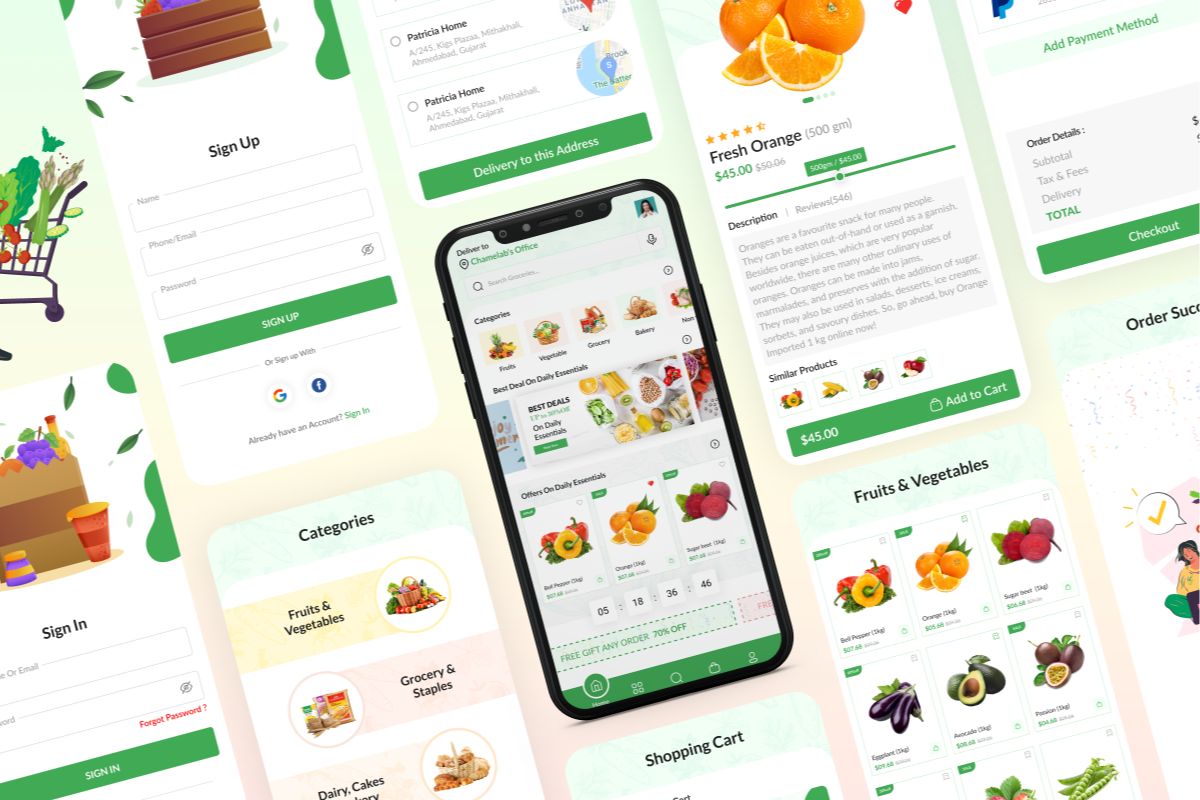
Grocery List App UI/UX Design Overview
The Importance of UI/UX Design
Grocery shopping is a routine task that benefits greatly from smart design. The Grocery List App simplifies list-making, item tracking, and planning with an intuitive, clean interface—helping users save time and stay organized at home or in-store.
Why UI/UX Matters
- Reduces friction in everyday task management
- Makes adding and categorizing items quick and intuitive
- Improves user satisfaction with a clutter-free design
- Encourages consistent use through convenience and ease
Key Elements of Great UI/UX
- Clean, minimalist layout with clear text and icons
- Smart input fields for quick item addition and sorting
- Color-coded or categorized lists for better visibility
- Optimized for mobile use in real-time shopping situations
Our UI/UX Design Process
- Research – Observing how users build and manage shopping lists
- Wireframing – Mapping core flows for creating, editing, and checking off items
- Design – Developing a user-friendly and visually simple interface
- Prototyping – Demonstrating real-time list building and interaction
- Testing – Validating speed and usability in real-world grocery use
- Handoff – Delivering responsive, modular components for development
What Sets Us Apart
- Focus on everyday utility and functional simplicity
- Design thinking grounded in real user habits and pain points
- Attention to speed, legibility, and one-handed usability
- Scalable approach for future features like sharing, syncing, or recipe integration

.png)

