Earbuds Controller App
UI/UX design
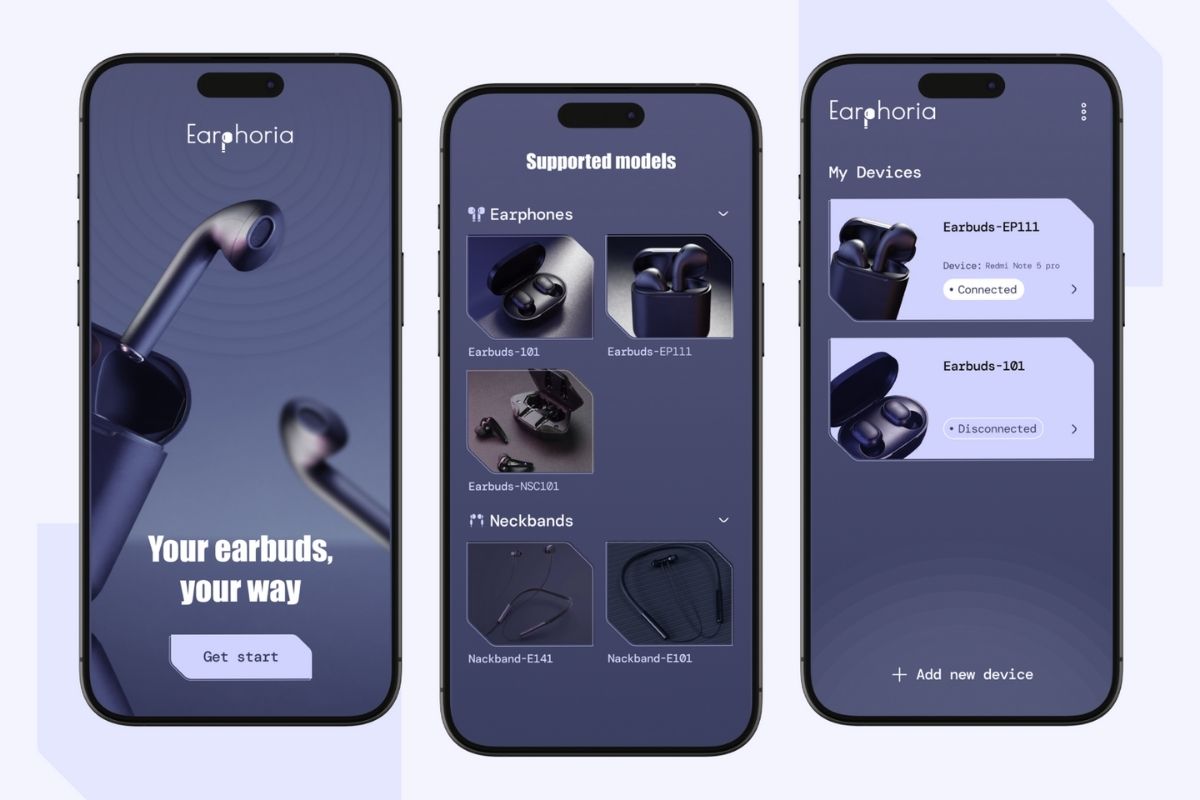
Earbuds Controller App UI/UX Design Overview
The Importance of UI/UX Design
Device companion apps must be intuitive, responsive, and tightly aligned with the product experience. The Earbuds Controller App is designed to give users seamless control over their wireless earbuds—managing sound profiles, touch gestures, battery status, and device connectivity with ease.
Why UI/UX Matters
- Simplifies control of device settings and personalization
- Provides real-time feedback on battery and connection status
- Enhances the overall user experience through smooth device interaction
- Builds brand loyalty with a polished, tech-forward interface
Key Elements of Great UI/UX
- Minimalist layout with quick access to sound and gesture controls
- Real-time battery indicators for both earbuds and case
- Customizable EQ presets and gesture mapping
- Mobile-first, responsive design for fast, on-the-go adjustments
Our UI/UX Design Process
- Research – Studying user behavior across consumer audio tech ecosystems
- Wireframing – Designing flows for pairing, control, and customization
- Design – Building a sleek, modern interface that reflects the product’s premium feel
- Prototyping – Simulating control adjustments, battery updates, and connectivity feedback
- Testing – Validating responsiveness and clarity in various real-world use cases
- Handoff – Delivering pixel-perfect, component-based files for development
What Sets Us Apart
- Specialized experience in hardware companion app UX
- Clean and intuitive designs aligned with consumer tech aesthetics
- Focus on real-time responsiveness and user empowerment
- Scalable foundation for firmware updates, support, and future device integrations

.png)

